


Phone Cleaner Launcher
4.582.00 Reviews
App Specs
- Version
- 1.2.6
- Updated On
- License
- Free
- Downloads
- 50,000+
- Developer
- XHDeveloper
- Categories
- Tools
- Platform
- Android
Screenshots
 Analysis by AppCompare
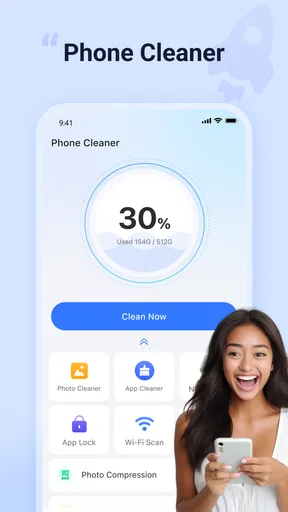
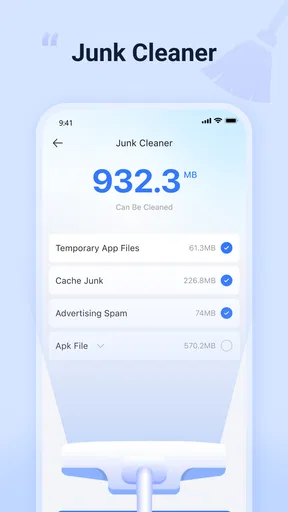
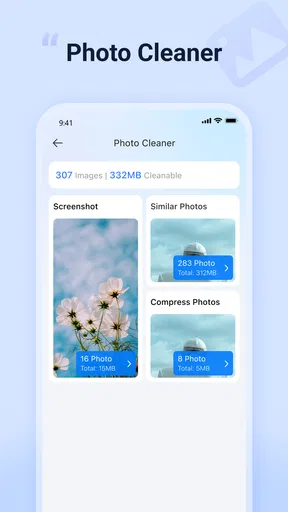
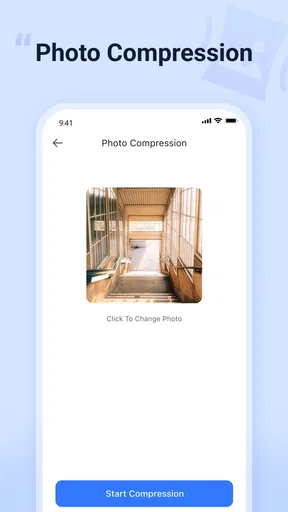
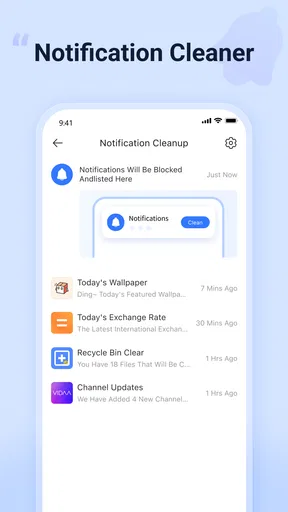
I spent time with Phone Cleaner Launcher as a practical Android tools app rather than treating it as a one-tap miracle. Its purpose is easy to understand: help organize cleaning tasks around unwanted files, photos, apps, and a lock feature, while also acting as a launcher. That combination makes it more interesting than a basic storage scanner, but it also means the experience depends heavily on how comfortably you move between several kinds of tools.
Developed by XHDeveloper, the app is free and aimed at Everyone. It runs on Android 11 or later, and its current version is 1.2.6. The app has reached over 50 thousand installs and holds a 4.5 average from around 1.6 thousand ratings, so it has attracted a meaningful group of users without feeling like an established system utility. My main question was not simply whether it could clean a phone, but whether its layout and workflow remain understandable for people using different devices, settings, and abilities.
How the interface feels in everyday use
I focus here on how Phone Cleaner Launcher’s combined tools shape the everyday experience, rather than treating its cleaning function as a promise to erase everything at once. That distinction matters because the most useful starting point is knowing which task you came to do and checking each choice before acting. From there, the next section looks at how that focused approach fits into ordinary phone use.
Readability and navigation come first
The strongest part of the concept is that the main jobs are recognizable. When an app places junk cleaning, photo management, file handling, app locking, and launcher behavior in one place, the user should not have to guess where to begin. Phone Cleaner Launcher is most useful when you approach it with a specific task in mind: reclaim space, look through a crowded photo collection, inspect files, or reach a protected app.
I found that this kind of grouping can reduce the need to jump between several unrelated utilities. Someone who normally opens one cleaner, one gallery tool, a file manager, and a privacy tool may appreciate having a single starting point. It is especially convenient for a family member who does not remember which utility handles which problem. The app’s short store description, “Phone Cleaner Launcher,” captures that broad role, although the actual value comes from how those functions work together in a routine.
For readability, the practical test is whether labels remain more helpful than decorative. Cleaning tools can become confusing when they show large totals without making clear what action follows. I recommend opening each category slowly the first time, reading what is selected, and treating any cleanup confirmation as a decision point rather than tapping through it automatically. That habit matters more here than the promise of speed, because removing the wrong photo or file is much more troublesome than spending another minute checking a list.
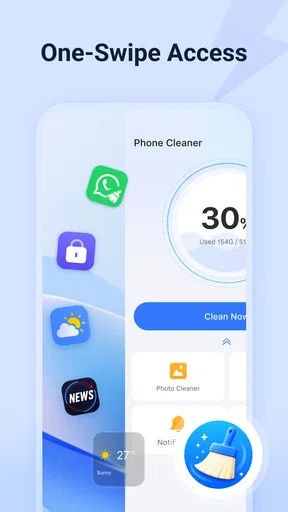
The launcher angle also changes the way I think about navigation. A cleaner is usually opened only when storage becomes a problem. A launcher is closer to the phone’s daily surface, so its organization can affect repeated actions. If you prefer a minimal home screen with a familiar arrangement, adding another layer may feel unnecessary. If you often lose track of maintenance tools, the combined approach can make them easier to find.
Worth Reading Before You Choose

EA SPORTS FC Mobile 26 Is a Bigger Football Game, but It Takes Time

Flipboard Shows What News Apps Must Do Beyond the Feed

Switching to Android Auto Means Rethinking Your Driving Routine

Google Calendar Makes a Crowded Week Easier to Manage

Ludo King Makes the Most of the Minutes Between Plans

Baby Panda World Brings Quick Play to Modern Phones, but Its Game Library Feels Busy
One useful workflow is to separate inspection from deletion. I would first review photos and files, then leave the app-lock settings for another moment instead of trying to complete every task in one session. This avoids the common mistake of treating a storage scan and a privacy change as if they had the same level of risk. The app is more manageable when each function is used for its own purpose.
Useful for different visual and cognitive preferences
People do not all read a screen in the same way. Some want a short route to a result; others need time to understand what a category means. Phone Cleaner Launcher is likely to suit users who benefit from having related maintenance actions gathered together, particularly when remembering several separate app names is difficult. The single-entry approach can lower the memory burden of phone upkeep.
At the same time, a combined tool can create a denser mental model. A user must distinguish cleaning from file browsing, photo review, app locking, and launcher navigation. Those are not interchangeable tasks. If you are helping someone else use the app, I would explain one section at a time and establish a simple rule: review personal content manually, and use automated cleaning only for items whose purpose is clear.
There is also a difference between seeing an option and understanding its consequence. A prominent cleaning action may be visually easy to locate but still require careful reading. My advice is to use the app when you are alert and not rushing, especially before travel or before handing the phone to another person. A clear interface cannot remove the need for judgment when files or photos are involved.
For users who rely on larger text, stronger contrast, screen readers, magnification, or other Android accessibility settings, the sensible approach is to test the exact screens you plan to use. The app’s suitability will depend on how its controls respond to the settings on your phone. I would not assume that a tool is accessible simply because its categories sound simple. Try opening the cleaner, moving through a file list, checking a photo selection, and reaching the lock controls before making it part of someone else’s routine.
Motor and sensory considerations
Phone maintenance often involves repeated taps, scrolling, and selection. That can be tiring for people with limited dexterity, tremor, or difficulty making precise touches. Phone Cleaner Launcher may reduce motor effort by bringing several tasks into one place, but it does not automatically make every task easy. Photo cleanup, in particular, can require careful selection, and a user who has trouble with small targets should avoid rapid gestures around personal content.
A safer method is to work in short sessions. Review a small group of photos, pause, and confirm the intended action before continuing. For files, begin with items you already recognize as disposable rather than trying to understand a long mixed list under pressure. This is a concrete advantage of the app’s broad organization: you can choose the exact area that needs attention instead of wandering through unrelated settings.
Users with sensory sensitivities may prefer a calm, predictable routine. Cleaning screens can feel stressful when they present many categories or ask for several decisions at once. I would open only the relevant section, keep the phone’s usual display and sound settings, and avoid turning a storage check into a full device reorganization. The app works better as a focused tool than as something that must be explored all at once.
For someone with reduced vision, the most important question is not whether the app has a cleaner label, but whether the selection state and confirmation steps are easy to distinguish. Before using it independently, I would test whether the chosen items are obvious and whether the final action clearly communicates what will happen. If that distinction is difficult on your device, a simpler system file manager or a familiar gallery may be the safer choice.
People with cognitive disabilities may appreciate a repeatable sequence. I would suggest a small checklist: open the cleaning area, inspect the suggested items, remove only what is recognized, then close the app. Keep app locking as a separate routine. This avoids mixing privacy settings with storage decisions and makes it easier for a supporter to explain the process consistently.
Situational access: when the combined approach helps
The app makes the most sense in everyday situations where time and attention are limited. Imagine a phone that has started warning about low storage just before a trip. Instead of searching through several utilities, you can begin with the cleaning tools, inspect photos and files, and decide what can be removed. The launcher role may then make the same maintenance area easier to return to later.
Another realistic case is a shared household where one person regularly helps another manage a phone. A single app with recognizable sections can be easier to explain than a collection of specialist tools. The helper can demonstrate a photo review one day and leave app locking alone until the owner is comfortable with it. That separation supports independence because the owner is not forced to learn every function immediately.
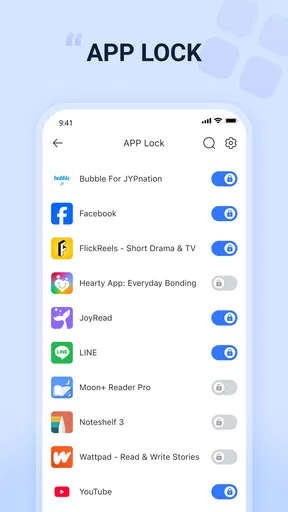
There is a privacy benefit to thinking in terms of access rather than convenience. If you use the app-lock function, treat it as one layer in your routine, not as a reason to ignore the phone’s own security settings. The feature may be useful when you want certain apps to require an extra step, but it should be configured deliberately. Make sure the person using the phone understands how to reach the apps they need before relying on the lock in a time-sensitive situation.
Phone Cleaner Launcher can also help users who are easily overwhelmed by scattered maintenance options. Rather than remembering separate destinations for photos, files, and app protection, they can start from one familiar place. That is a meaningful accessibility advantage even without claiming special certification: reducing the number of places a person must remember can make a routine more achievable.
On the other hand, the combined design is not automatically better for everyone. A technically confident user who already likes the phone’s built-in storage tools may find another launcher unnecessary. Someone who wants a highly specialized duplicate-photo workflow or a full file-management system may prefer a dedicated app designed around that single task. Phone Cleaner Launcher is most convincing for people who value a central control point more than deep specialization.
What still creates friction
The biggest limitation is the risk of overconfidence. “Cleaner” is an appealing word, but no cleanup button should be treated as permission to delete without review. Personal photos, downloads, documents, and app-related files can have very different consequences. I would never hand the phone to a less confident user and tell them simply to accept every recommendation.
The launcher component may also introduce a choice that some people did not expect. A user looking only for storage help could feel that the app is broader than necessary. Conversely, someone seeking a replacement home screen may expect more customization than a tools-focused product provides. The app’s value depends on whether you actually want these functions connected; if not, separate built-in tools may feel clearer.
Accessibility is another area where personal testing matters. Android settings can improve readability and interaction across many apps, but they cannot guarantee that every control, list, or confirmation behaves exactly as a particular user needs. Before recommending this app to someone with specific access requirements, I would test the complete path on their phone, including opening the launcher, selecting items, confirming cleanup, and reaching locked apps.
There is also a learning curve caused by the range of responsibilities. A dedicated photo tool usually teaches one workflow, while this app asks the user to understand several. That is not a flaw for an organized person, but it can become a barrier for anyone who prefers one-purpose screens. The best workaround is to establish a narrow routine and ignore the other sections until they become relevant.
Compared with ordinary alternatives, the trade-off is straightforward. Built-in Android storage controls may feel more familiar and closer to the operating system. A dedicated gallery or file manager can offer more focused handling of personal content. A separate privacy tool may be preferable when app protection is the only goal. Phone Cleaner Launcher earns its place when the convenience of one starting point outweighs the control and simplicity of separate tools.
Who should use it, and who should skip it
I would recommend it to Android users who want a free central place for routine cleanup and basic organization, especially those who regularly forget where storage, photos, files, and app protection tools are located. It is also worth considering for households where one person helps another maintain a phone, provided the cleanup steps are taught carefully rather than performed blindly.
I would be more cautious for anyone who already has a comfortable system for managing storage. If your phone’s built-in tools are easy for you to read and operate, adding a launcher may not improve your day-to-day experience. I would also skip it as a first choice if you need a highly specialized file manager, advanced photo sorting, or a home screen tailored in very specific ways.
The age rating of Everyone makes the app broadly approachable, but that should not replace supervision when the user has difficulty judging deletion choices. A simple interface can still expose important personal content. For children, older adults, or users who need support, agree in advance which categories are safe to inspect and which actions require help.
My inclusive verdict
Phone Cleaner Launcher is a useful idea because it treats phone upkeep as a set of connected tasks instead of forcing users to remember several separate utilities. In my experience, its best quality is the central starting point: it can make cleaning, browsing, and app protection easier to locate, particularly for people who benefit from a repeatable routine.
Its inclusive value comes with conditions. The app can reduce memory and navigation demands, but it cannot remove the need to inspect personal files, confirm actions, and test the controls with the user’s own Android settings. For people with motor, visual, cognitive, or sensory needs, short sessions and one-purpose workflows are safer than rushing through every feature.
My recommendation is to use it as a guided maintenance hub, not an automatic delete button. If you want one free place to begin managing junk, photos, files, and app locking, it is a sensible option to try on a compatible Android phone. If you prefer the familiarity of built-in tools or need deep control over one specific area, a dedicated alternative may serve you better. The app is at its strongest when convenience, clarity, and a carefully paced routine matter more than advanced specialization.
Pros
- Quickly removes junk files and temporary data.
- Simple interface that is easy for beginners to navigate.
- Includes shortcuts for managing storage and device tools.
- Can help identify large or unnecessary files.
- Launcher features provide fast access to frequently used apps.
Cons
- Cleaning suggestions may require manual checking before deletion.
- Some features may be limited or supported by advertisements.
- Results can vary depending on the Android device and system version.
- Launcher changes may take time to customize to personal preferences.
- Battery or memory tools may offer limited benefits on newer phones.
FAQs for Phone Cleaner Launcher
What is Phone Cleaner Launcher and what does it do?
Phone Cleaner Launcher is an Android utility and launcher-style app designed to help users organize their home screen while offering tools for cleaning unnecessary files. Depending on the device and version, it may scan cached data, residual files, large items, or unused applications. It can also provide shortcuts to common phone settings and management features, but its exact functions may vary by release.
Is Phone Cleaner Launcher safe to install and use?
Before installing Phone Cleaner Launcher, download it only from a trusted source and review the permissions requested during setup. A cleaner or launcher may ask for access to storage, notifications, or usage information to provide its features. Read the privacy policy, check recent user reviews, and avoid granting permissions that do not appear necessary for the app’s advertised purpose.
Can Phone Cleaner Launcher really improve my phone’s performance?
Phone Cleaner Launcher may help free storage space by identifying temporary files, duplicate content, or applications you no longer use. However, cleaner apps cannot permanently increase a phone’s processing power or memory. Performance improvements are usually most noticeable when storage is nearly full. Review every suggested item carefully before deleting anything, especially photos, downloads, or personal documents.
Will using Phone Cleaner Launcher delete my personal files?
The app should normally show a list of items before cleaning, allowing you to select what will be removed. Even so, automated cleaning recommendations can occasionally include files you want to keep. Create a backup of important photos, videos, documents, and messages before using deeper cleaning options, and inspect the selected categories carefully rather than confirming every suggestion automatically.
Does Phone Cleaner Launcher replace my phone’s default launcher?
Because Phone Cleaner Launcher includes launcher-related features, it may ask to become the default home-screen application. You can usually accept or skip this choice during setup, then change it later through Android’s Home or Default Apps settings. If you prefer your existing launcher, check the setup screens carefully and disable or remove the app through system settings whenever necessary.


